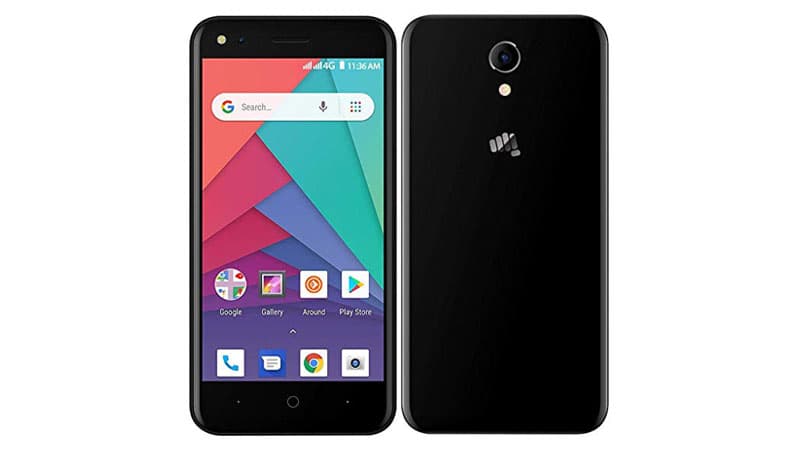
Stock Rom For Micromax Q437

Stock rom for Micromax Q437
DOWNLOAD:
- Micromax_Q437_Go_MT6737M_SW_V14_HW_V1.0_20180404.rar (562M)
| AndroidFileHost | OneDrive | MaxSpeed - MMX_Q437_SW_V13_HW_V1.0_20180330.rar (562M) | AndroidFileHost | OneDrive | MaxSpeed

Stock rom for Micromax Q437

(Micromax Q437)In the ever-evolving world of smartphones, users often find themselves seeking ways to enhance their device’s performance. One effective method is installing the right Stock ROM, especially if you own a Micromax Q437. In this article, we’ll explore the significance of a Stock ROM, how it can benefit your device, and the steps to install it on your MicromaxQ437.
A Stock ROM, or Stock Firmware, is the official operating system that comes pre-installed on a device. In the case of the Micromax Q437, the Stock ROM is tailored specifically for this model, ensuring optimal performance and compatibility. Installing a Stock ROM can be likened to giving your smartphone a fresh start, eliminating any glitches or issues that may have arisen over time.
Steps to Install Stock ROM on MicromaxQ437: Follow these simple steps to install the Stock ROM on your MicromaxQ437:
In conclusion, unlocking the full potential of your Micromax Q437 is as simple as installing the right Stock ROM. With optimized performance, increased reliability, enhanced security, and the preservation of your device’s warranty, opting for the Stock ROM is a wise choice. Follow the installation steps carefully, and you’ll enjoy a rejuvenated smartphone experience with your MicromaxQ437.